Body
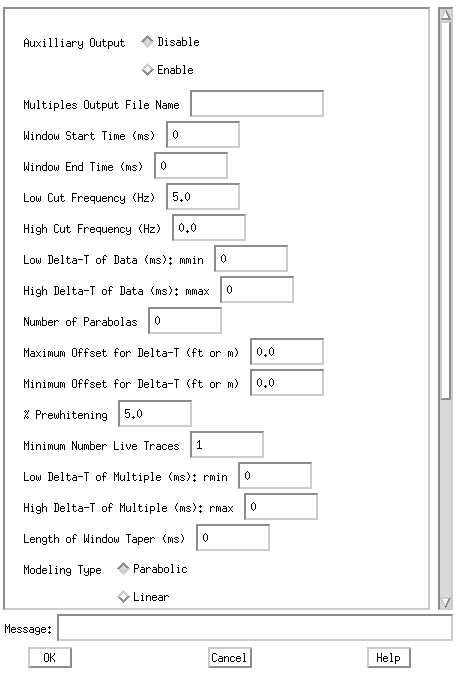
This is the actual individual process menu information. Side scrollbars allow access to long menu panels. The fields are either text entries for file names, numerical (decimal or integer) values such as times or frequencies, and button selections that invoke one or more choices. Entries can be made in typical motif fashion. Either single clicking to the right of a default value and backspacing over it or double clicking in the field to instantly replace a value. If an incorrect type of value is placed in an area, e.g. a decimal where an integer is called for a message will be displayed at the bottom in the "Message:" window after "OK" is clicked..
If an entry has been single or double clicked hitting the "Help" key on your keyboard will display any available man page information about that item.
Menu panel entries always contain some "ground state" value and almost all of these trigger default conditions in the programs. For instance an "End Time" might be 0 on the menu but it really translates to the end of the trace inside the program. This is usually explained in the "Help".
When the user has filled out the appropriate entries click on "OK" to store the current values.
